
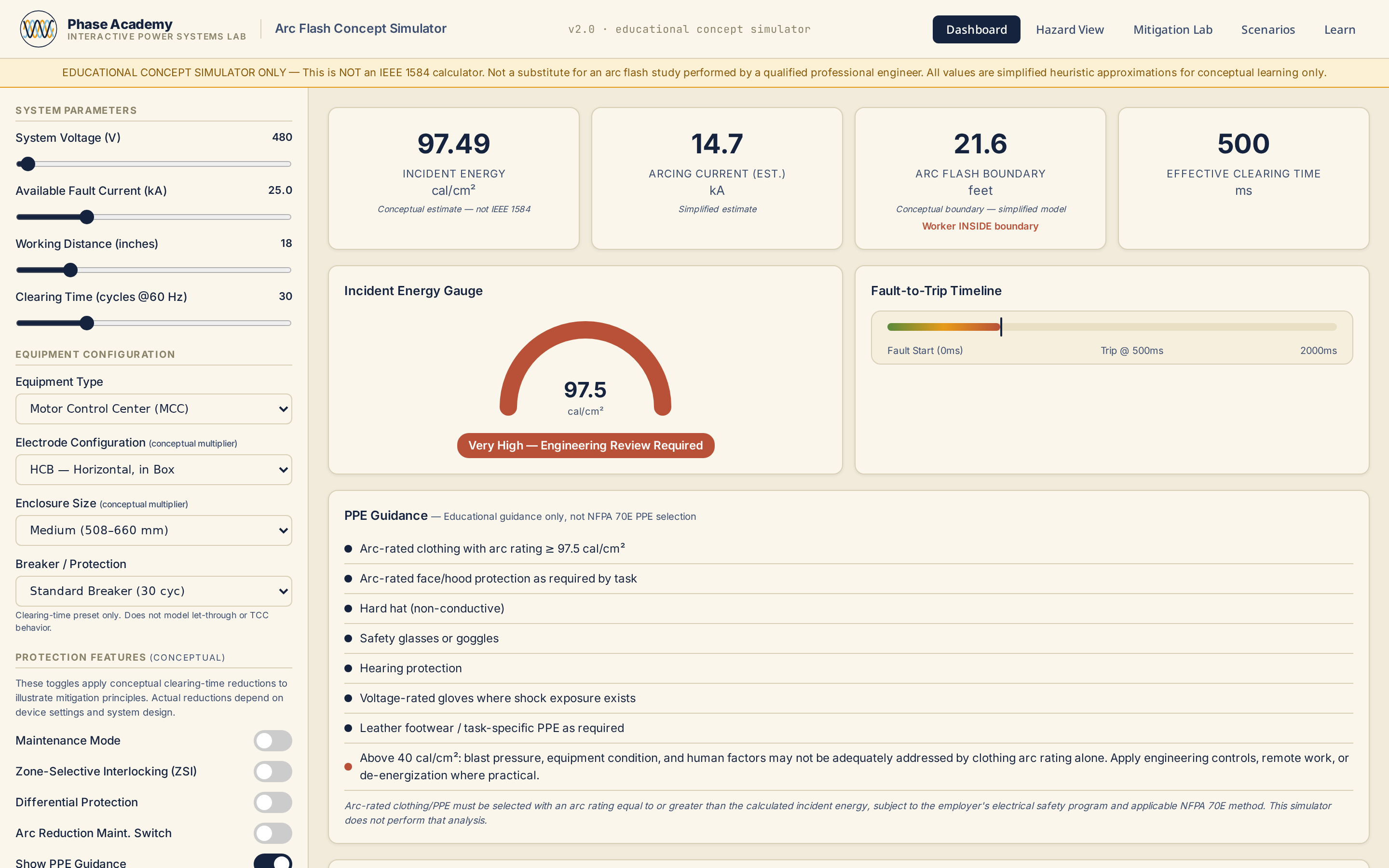
Arc Flash Concept Simulator
Explore how voltage, available fault current, working distance, clearing time, equipment configuration, and protection features influence conceptual incident energy and arc-flash boundary behavior.
VIEW TOOLInteractive labs, calculators, and guided field workflows that show the math, visualize cause and effect, and build practical engineering judgment.
THREE PHASES. ONE CURRICULUM.
Build fundamentals with concepts, worked examples, and labs that show each step.
START WITH FUNDAMENTALSFault current, coordination, arc flash, and sequence-component analysis you can drive.
OPEN ANALYSIS TOOLSNETA-aligned field workflows with structured test records you can reuse.
GO TO FIELD TESTINGSequenced paths and NEC practice you can assign, plus code-aware calculators.
BROWSE LEARNING PATHSCalculate AC voltage drop percentage using conductor resistance and reactance from NEC Chapter 9 tables, applying power factor and temperature corr…
Explain how incident energy is influenced by available fault current, clearing time, working distance, and equipment configuration.
Apply the five NEC 314.16(B) counting categories — conductors, clamps, support fittings, device yokes, and equipment grounding conductors — and sta…
Ohm's law through one-lines, grounding, and ampacity — the vocabulary every later path assumes.
Branch circuits, feeders, services, and load calculations, worked as computed results.
One-lines, fault current, sequence networks, and bus arrangements.
Relay fundamentals, instrument transformers, TCC coordination, and differential schemes.
Incident energy behaviour, boundaries, and equipment rating intuition.
Motor branch circuits, starting behaviour, transformer operation, and vector groups.
Explore how voltage, available fault current, working distance, clearing time, equipment configuration, and protection features influence conceptual incident energy and arc-flash boundary behavior.
VIEW TOOL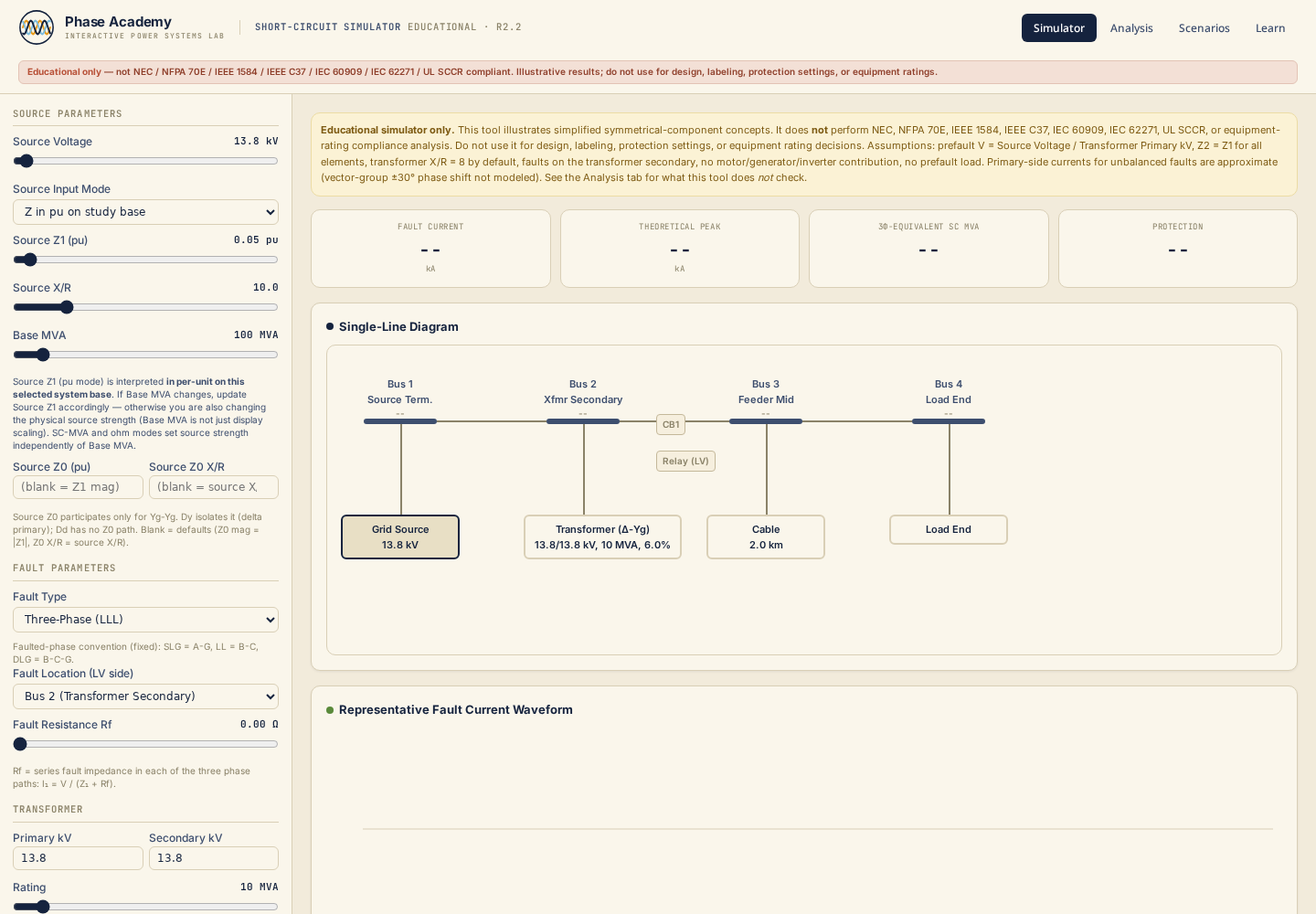
Model three-phase, SLG, LL, and DLG faults across a four-bus radial system using the per-unit method — with configurable source impedance, transformer, cable, and relay — and a clear statement of what a code-grade study includes that this educational tool does not.
VIEW TOOL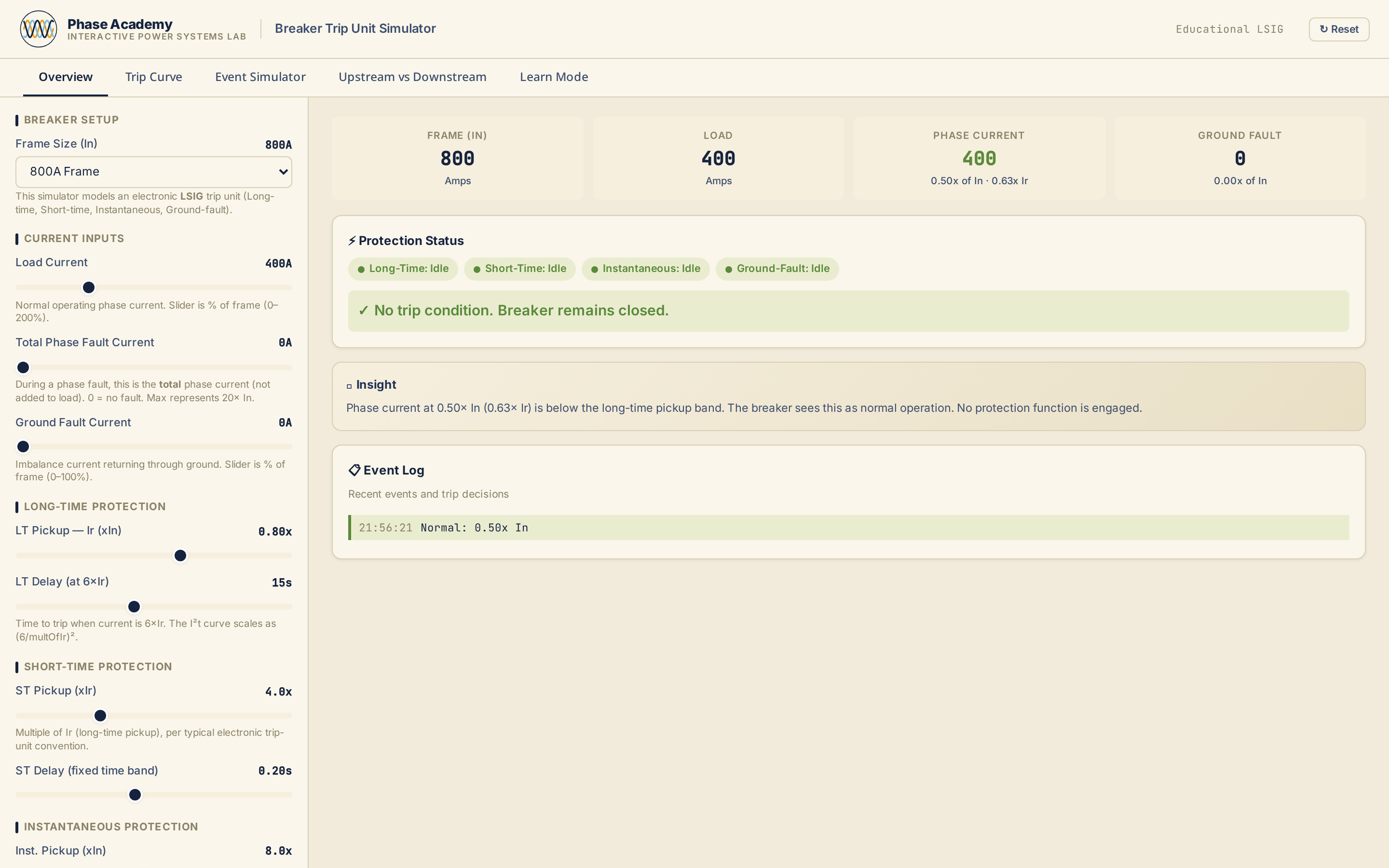
Set LSIG trip unit parameters on a live TCC and see how Long-Time, Short-Time, Instantaneous, and Ground-Fault regions respond to load and fault current — with six presets, five industry-specific Design Lab scenarios, a side-by-side Compare tab, and an Event Simulator.
VIEW TOOL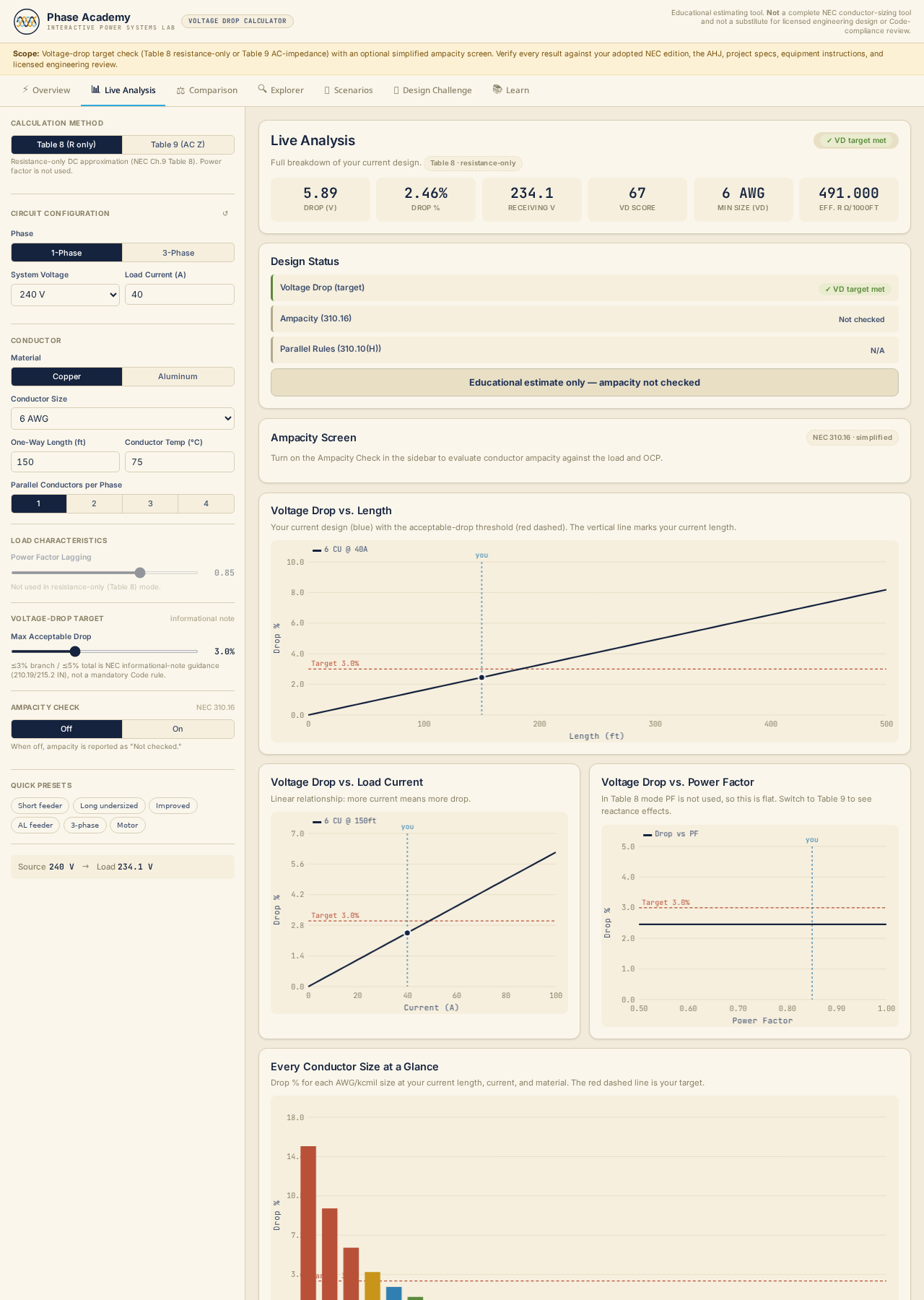
Calculate AC voltage drop for single- and three-phase circuits across five voltages and two conductor materials — with live parametric charts (drop vs. length, vs. current, vs. temperature), a copper-vs-aluminum comparison, conductor explorer, six quick presets, and a scenario lab.
VIEW TOOL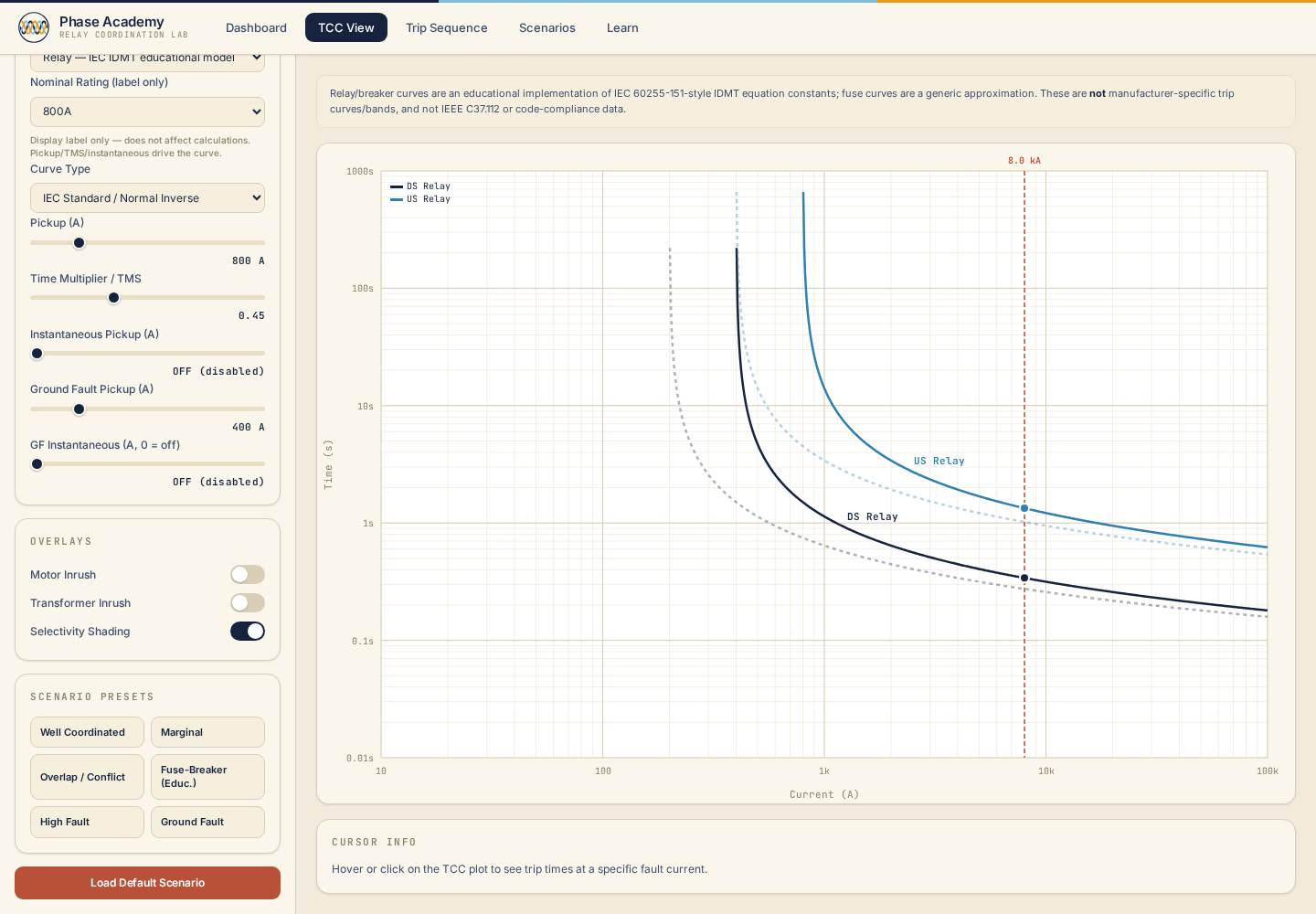
Plot upstream and downstream IEC IDMT relay, breaker, and fuse curves on a live TCC — then verify CTI margin, inject fault current, and step through the trip sequence using six preset coordination scenarios.
VIEW TOOL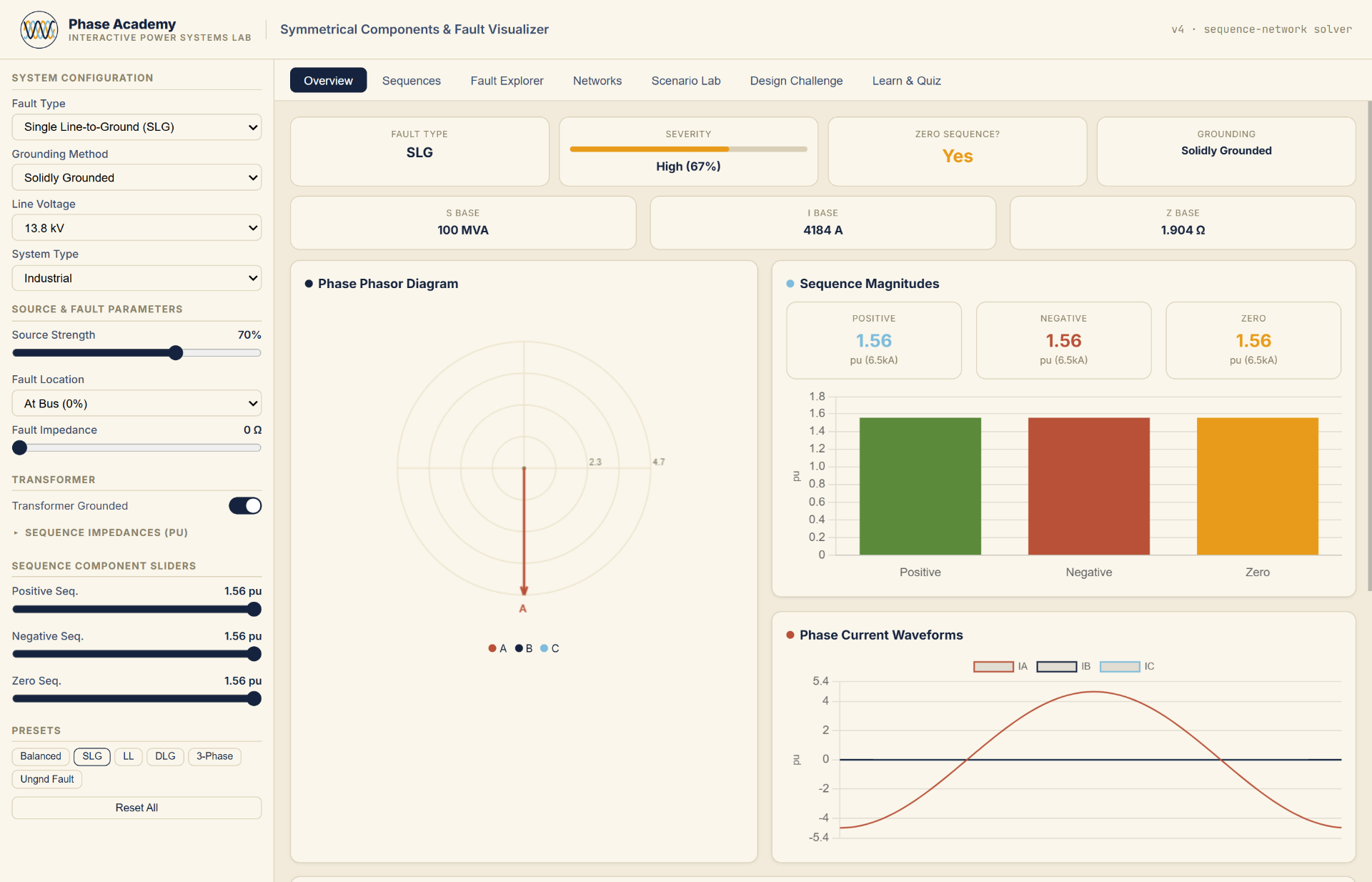
Decompose unbalanced three-phase systems into positive, negative, and zero-sequence networks — then drive fault current through them and see every sequence quantity update in real time.
VIEW TOOLSee the system and what each control actually changes.
Commit to an answer before you touch anything.
Change one variable and watch the response.
Read the math behind the result, term by term.
Answer a short knowledge check on the concept.
Take it into a scenario that looks like real work.
Being open to the public never implies that a subject-matter expert has reviewed the engineering content.
STATUS DEFINITIONSHow each tool is checked, which standards editions it references, and when it was last reviewed.
VALIDATION METHODOLOGYEngineering corrections are recorded in the changelog so you can audit what changed and when.
READ THE CHANGELOGEvery tool is educational. It does not replace the applicable code edition, manufacturer instructions, or the judgment of a licensed professional.
Optional three-question onboarding recommends one learning path and one first lab. A new dashboard collects continue-learning, recent labs, bookmarks, synced sessions, and private reports. Feedback now routes by category and returns a reference ID.
Validation methodology, status definitions, standards and editions, changelog, accessibility statement, and security and privacy contact are now documented in one place.
Seven-step workflow, explicit save and sync actions, review-before-export with completeness and advisory checks, and an example-data mode. Acceptance logic was compared against fixtures before and after and is unchanged.
You never need to sign in to open a lab. A free account saves module progress, bookmarks, recent tools, and NETA field report drafts you can duplicate and edit later.
For education, training, and preliminary support only. Verify results against applicable codes, standards, manufacturer data, project specifications, AHJ requirements, and qualified engineering judgment.